Thinking of what you could do this fall break? How about previewing your grades in Brightspace! Make sure grades are accurate for your students before they return from break!
Use the Preview option to see exactly how a student sees his/her grades.
In Brightspace, click the course selector near the top center and select the course
Once in the course, in the Navbar select Grades
Near the top left, select Enter Grades
Scroll down (or use the View By or search tools) to find the student whose grades you want to preview grades for and select the dropdown next to the student’s name and select Preview
We’ve switched from Echo360’s PointSolutions to a new, more integrated polling tool: Vevox! Vevox lets you run live polls, Q&A sessions, and surveys right inside your presentations. It works seamlessly with Brightspace, PowerPoint, and Zoom to make classes and meetings more engaging.
Want to learn how to use it? We’re holding training workshops to get you started. Sign up for a session through our Workshops page and see how Vevox can transform your teaching and presentations.
We’re excited for you to start using Vevox! For more info and FAQs, visit our Vevox service page
A few weeks ago, Martin & Logan (2 of our student techs) asked me if they could write an article for the DoIT website on April Fool’s. I laughed and shrugged it off. The suggestion indeed sparked some creativity in our office. Jokes were made like “we should answer “Joe’s Pizza” when the phone rings and a few other suggestions that, honestly I was concerned might stress those out who needed help so I refused to encourage the idea….UNTIL…
A KB article needed to be fixed and a lot of full time staff were out that day. I turned to one of our student techs and asked them to edit it, and they did so, perfectly. They were so pleased with, not only the work they had done but that, we (DoIT) trust our students to publish information, that I felt inspired to revisit the “april fool’s article” idea.
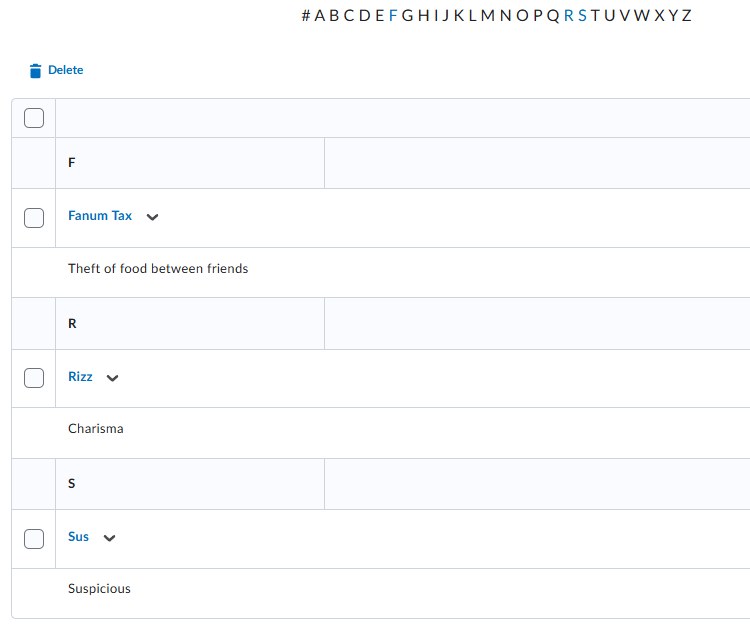
I challenged Martin & Login to write a KB article on how to use Brightspace Glossary and promised that if it was well written, they could create a “GenZ glossary” edition for April Fool’s and they accepted & completed the challenge!